Escape Raid Unblocked: Full Guide to Play Free at School & Work
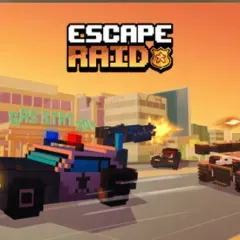
Want to play Escape Raid during lunch break or free period? This comprehensive guide will show you exactly how to access Escape Raid unblocked on school computers, even when network restrictions are in place. Whether you are using GoGuardian, Securly, or any other content filter, we have got you covered with multiple workarounds and insider tips.
Why Escape Raid Works on School Networks
Unlike many games that get blocked on school Wi-Fi, Escape Raid uses a unique technical approach that makes it highly compatible with restricted networks. Understanding why this game works where others fail can help you appreciate the engineering behind it.
HTTPS Encryption
All connections use HTTPS encryption, which content filters struggle to inspect without breaking legitimate browsing. This makes Escape Raid appear as standard secure web traffic.
Pure HTML5 Architecture
No Flash, Java, or special plugins required. The game runs entirely in your browser using modern web standards, which are often whitelisted for educational purposes.
How to Access Escape Raid: Quick Start Guide
Getting started is easier than you think. Follow these steps to start playing Escape Raid on your school computer within minutes.
Method 1: Direct Access (Recommended)
- Open your school browser and navigate to our main game page
- Click the Play Now button prominently displayed on the page
- The game will load directly in your browser tab - no downloads required
- Press F11 for full-screen mode to minimize visibility
Method 2: Mirror Links (Backup)
If the main URL is somehow blocked, try our verified mirror domains. These are alternate paths to the same game content:
escaperaid-games.school...play-escape-raid.xyz...
These mirror links rotate periodically to avoid detection by network administrators.
Full-Screen Mode: The Discreet Gaming Secret
One of the most important skills for playing games at school is minimizing your visible browser window. Teachers are less likely to notice a game that fills the entire screen.
Quick Full-Screen Shortcuts
Toggle full-screen on most browsers
Press again to exit full-screen
Pro Tip: Combine full-screen mode with a tab that looks like a homework assignment. Position the Escape Raid tab behind a Google Docs or PDF document, so you can quickly switch windows if someone approaches.
Understanding School Content Filters
Most schools use content filtering software to block access to games and entertainment websites. Understanding how these work can help you get around them more effectively.
GoGuardian
GoGuardian is used by many K-12 schools to monitor and filter student internet usage. It primarily works by maintaining a blocklist of known game domains.
Our HTTPS-based game delivery often bypasses GoGuardian because it cannot inspect encrypted traffic without a specialized certificate.
Securly
Securly uses similar blocking techniques to GoGuardian. It may flag game-related keywords in URLs but often fails to block HTTPS-based game loads.
Use our mirror links if the main domain gets flagged. We regularly update our domain rotation to stay ahead of filters.
Cisco Umbrella
Enterprise-grade filtering used by some schools and districts. More sophisticated but can still be bypassed with HTTPS.
Access during off-peak hours when IT monitoring is less active, or use the incognito/private browsing mode.
Safety and Responsibility
Important Notice
While we provide these access methods, always be mindful of your school policies. Playing games during class or when you should be studying can affect your grades. Use these techniques responsibly during appropriate times like lunch breaks or free periods.
During Lunch
Free Periods
After Homework
Browser Compatibility
Escape Raid works best on modern browsers. Here is the recommended browser hierarchy for school computers:
Frequently Asked Questions
Will playing Escape Raid get me in trouble at school?
If you play during appropriate times (lunch, free period) and complete your work first, you should be fine. Playing during class or ignoring assignments may result in disciplinary action.
Can the school see what I am playing?
With HTTPS encryption, they typically only see that you are visiting a secure website, not the specific content. However, managed devices may have additional monitoring software.
Does Escape Raid work on Chromebook?
Yes! Chromebooks are actually one of the best devices for playing Escape Raid at school. The Chrome OS browser is optimized for HTML5 games and works seamlessly with our unblocked version.
What if the game is blocked?
Try our mirror links or wait a few hours - we update domains regularly. You can also try accessing from a personal device on the school guest network if available.
Final Tips for School Gaming
Top 5 Survival Tips
- 1Always complete your classwork before playing - teachers are more lenient when students are responsible
- 2Use headphones if possible - audio cues are harder to detect than visual ones
- 3Position yourself near an exit or with your back to walls - this gives you time to switch tabs
- 4Keep your grades up - responsible students are given more freedom
- 5Have a "cover" tab ready (Google Docs, reading assignment) to switch to instantly
More Gaming Resources
Vehicle Guide
Best Cars & Stats
Drifting Guide
Master Handling
Evasion Guide
Outrun the Law
Beginners Guide
Tips & Walkthrough
Level Strategy
Secrets Revealed
Hidden Secrets
Find Everything
Combat Guide
Master Survival
Speedrun Tips
Beat the Clock
Similar Games
Best Alternatives
Character Builds
Optimize Your Build
Multiplayer Guide
Survive Together
World Lore
Uncover History
Walkthrough Guide
Complete Walkthrough
Similar Games
Best Alternatives
Lag Fix Guide
Fix Lag Issues
Speedrun Guide
Beat the Clock
Play Online Free
Instant Play
Cars Unlock Guide
Unlock All Cars
School Unblocked
Play at School
VS Original Guide
Compare Games
Fix Loading Issues
Fix Technical Issues
Beginners Gameplay Guide
Learn to Play
All Secrets & Map Guide
Find All Secrets
Unblocked School Games
Play Anywhere
Best Similar Games
Find Similar Games
Fix Technical Issues
Fix Errors
Star System Guide
Max Stars Guide
A-Z Games Guide
Play on A-Z
Plane Secrets Guide
Secret Vehicles
Beat Game Guide
Survival Guide
The Beast Guide
Boss Guide
Best Car Guide
Best Vehicle
City 2 Best Car
City Vehicles
Fastest Car Guide
Speed King
Most Stars Guide
Maximum Stars
Max Stars Amount
Star Breakdown
Max Stars Explained
Star System Guide
The Beast Guide
Boss Vehicle Guide